Ad revenue: see which campaigns bring users who earn
The SDK reports the revenue of every ad impression and AdShift ties it to the source of the install, next to cost.
12,000 attributed installs free in your first year. No card.
What you can do
Ad revenue where you plan your buying
Next to purchases and subscriptions
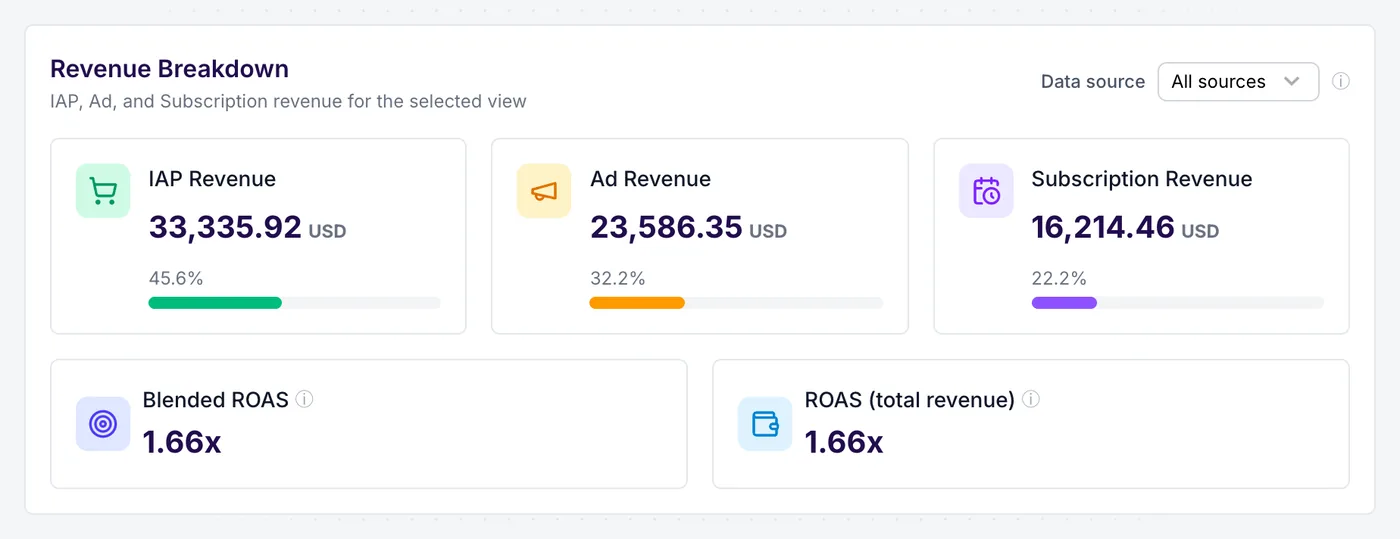
See ad revenue as its own line beside purchases and subscriptions: know how much of your income comes from ads
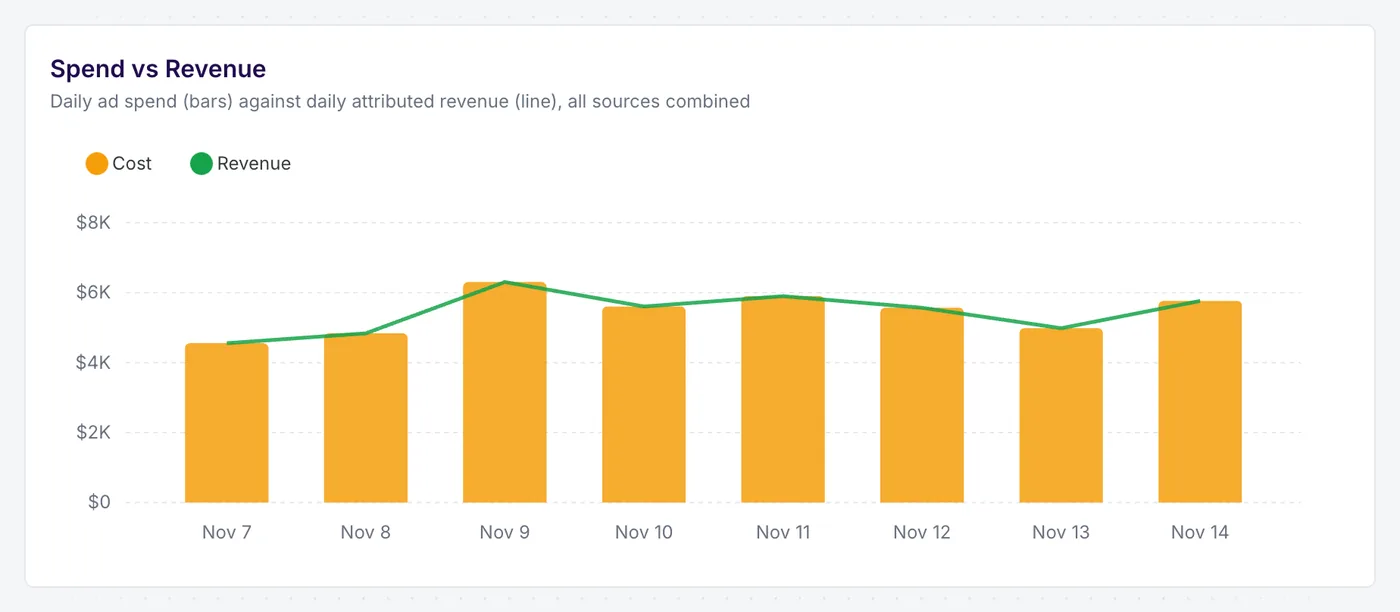
Read blended ROAS on all three: stop underrating campaigns whose users do not buy
Ad revenue as a cohort metric
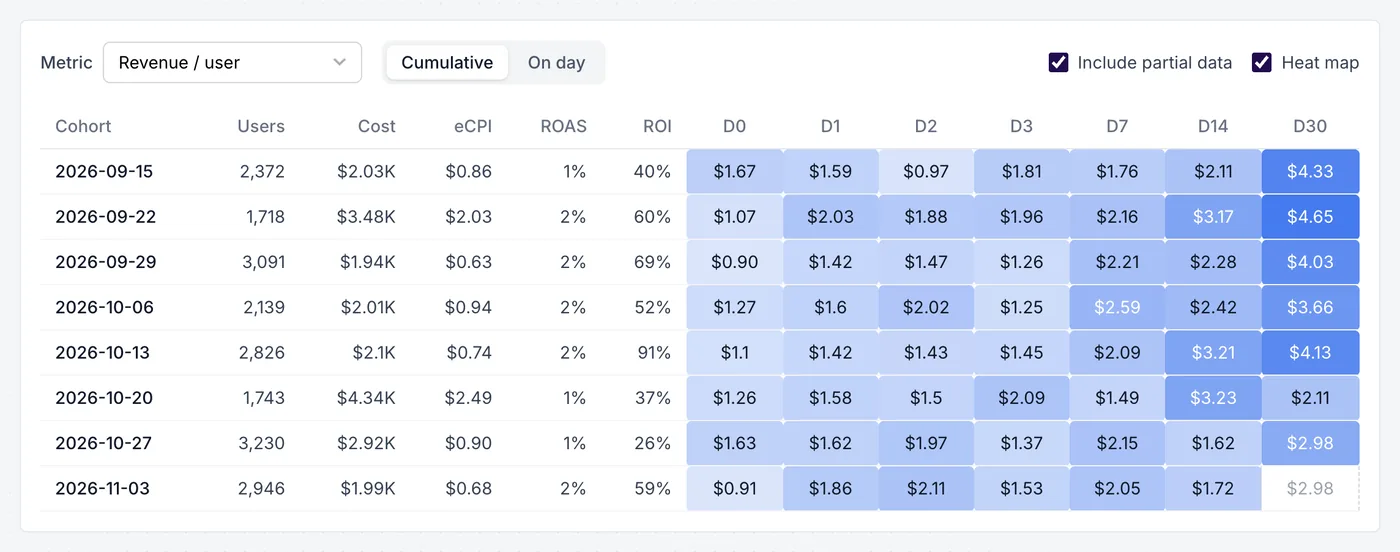
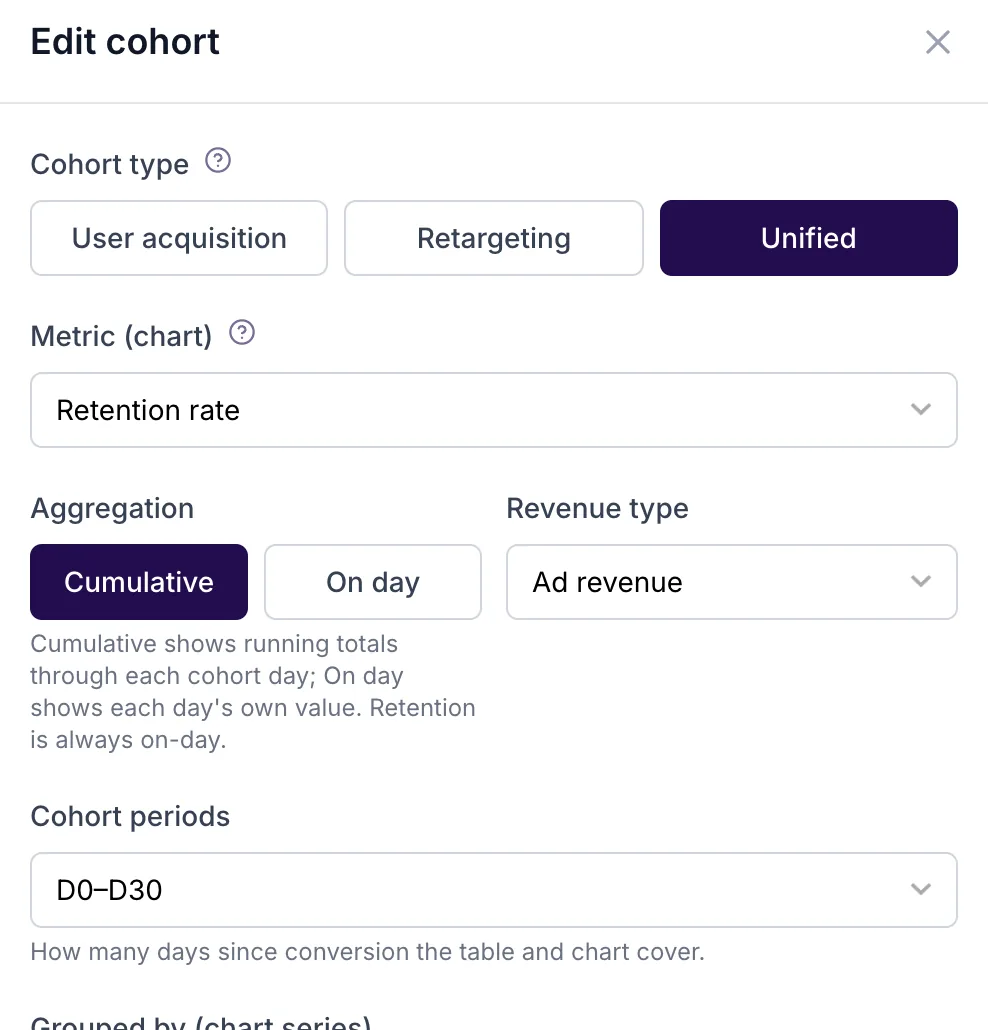
Set the cohort's revenue type to ad revenue: follow ad earnings per user from day 0 to day 30
Group cohorts by media source, campaign or country: compare the ad value of users from each source
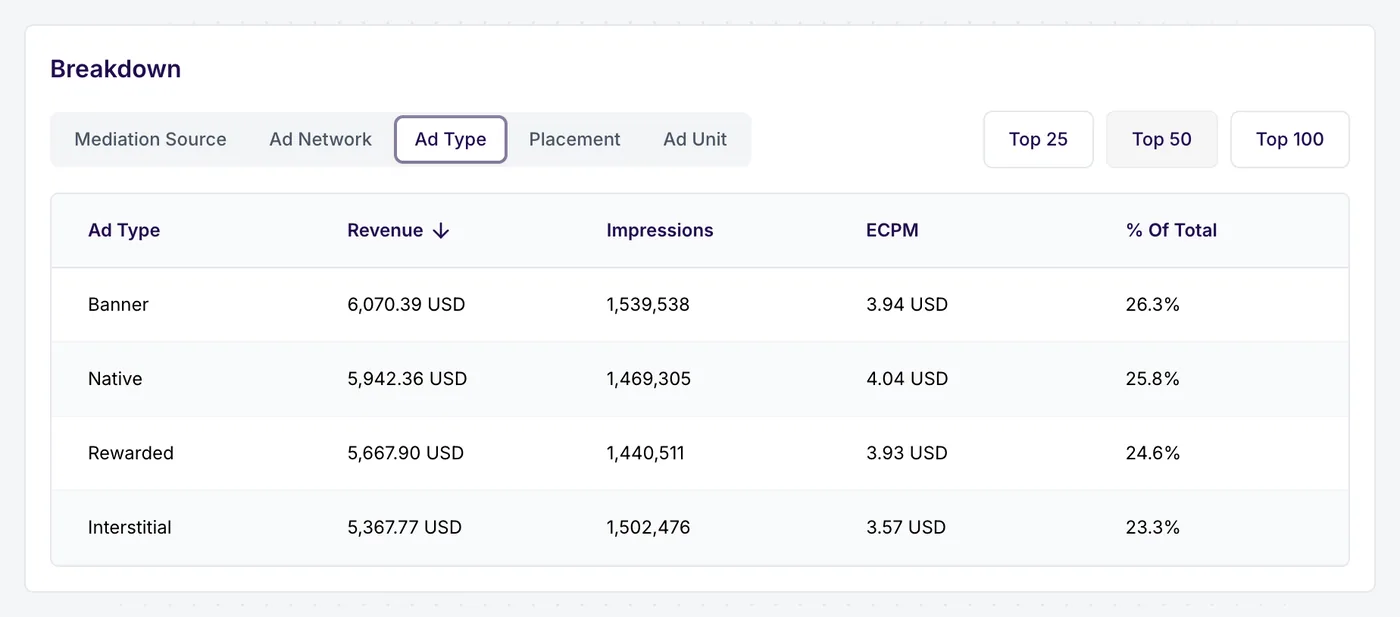
By ad format
Break revenue, impressions and eCPM down by ad format: see whether rewarded or interstitial carries the revenue
Filter by campaign or media source: check which acquired users watch the ads that pay
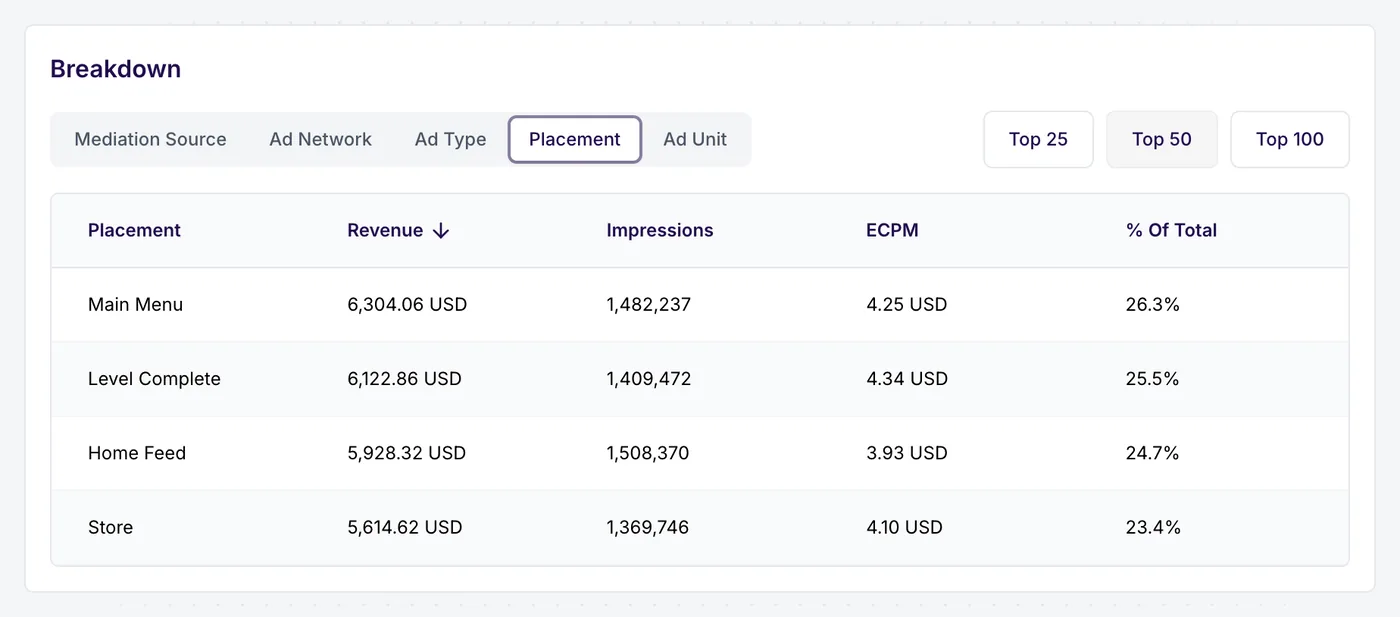
By placement
Compare placements and ad units: find the screen that earns and the one that only interrupts
Narrow it to one country: plan monetisation market by market
Listonic, a grocery list app with 30M+ downloads, measures ad revenue with AdShift. Read the case study
Building a game or an ad-funded app? See AdShift for games and ad-funded apps
How it works
How the number gets there
The app reports each impression
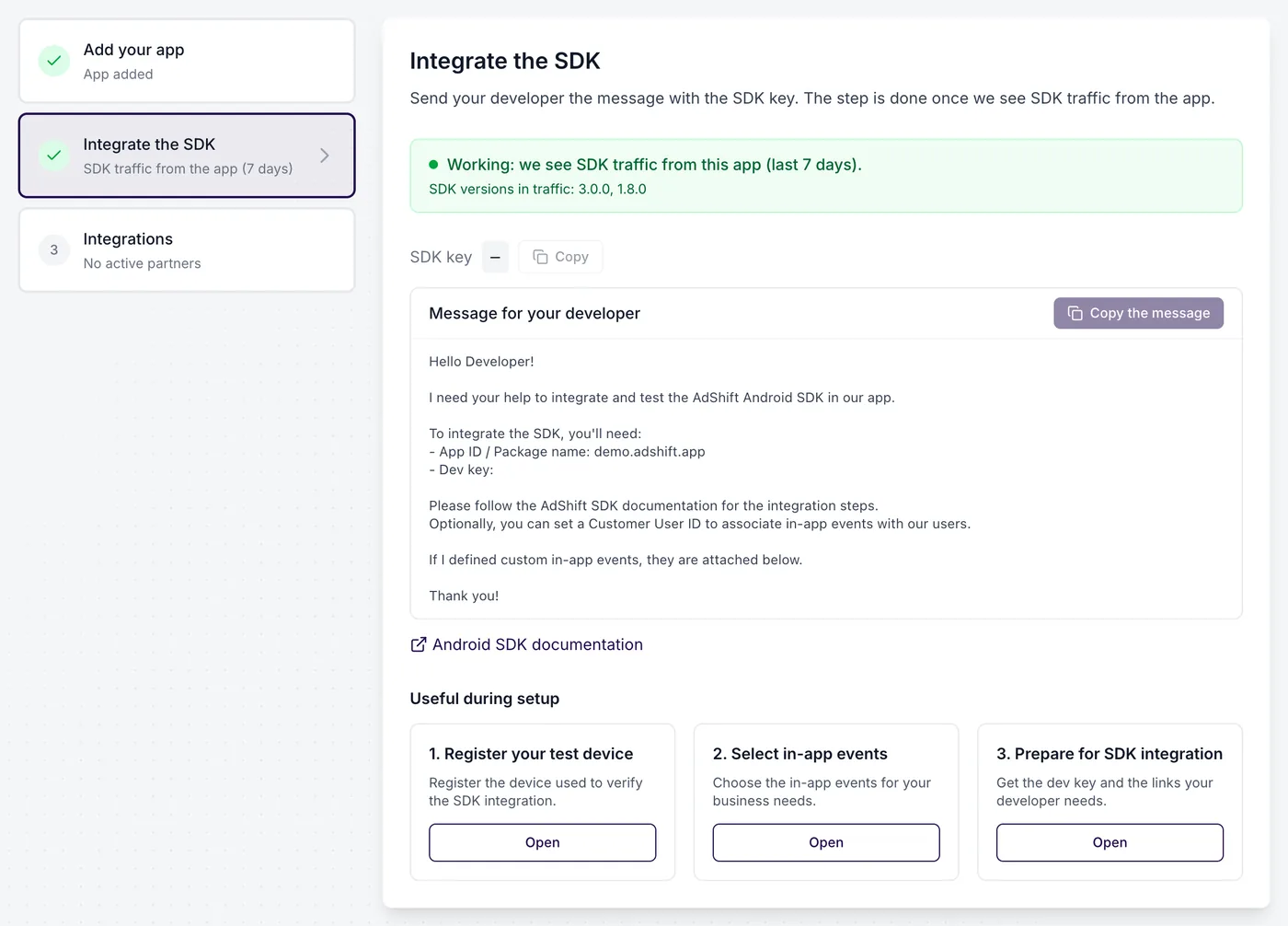
When your mediation SDK reports the revenue of an impression, the app passes the amount, currency and network to the AdShift SDK.
AdShift ties it to the install
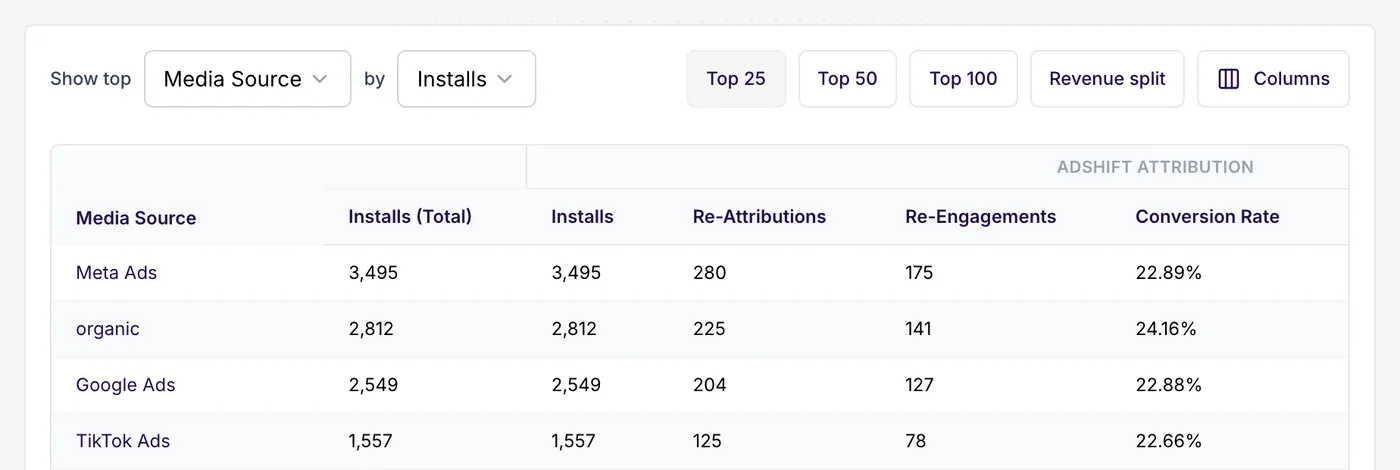
Each impression belongs to a user whose install is already attributed to a source and campaign, or marked organic.
Reports show it next to cost
Ad revenue appears by source, campaign and cohort, counts towards ROAS and can be exported.
Free and Growth
Where it sits in the price list
Free
$0for 12,000 attributed installs in your first year
What's included:
- Attribution and purchase revenue by source
- Cohorts and retention
- Every Growth feature and add-on for your first 3 months
Growth
$0.03per attributed install after that
What's included:
- Cost import and ROAS
Revenue comes from your app's SDK calls. AdShift does not pull it from mediation platforms on the server side.
Add-ons: Ad revenue by install source, campaign and cohort · Ad revenue counted in blended ROAS · Subscription revenue · Export of the ad revenue breakdown to your warehouse. Growth features and add-ons are on for your first 3 months. Add-ons are priced individually after your first 3 months.
Frequently asked questions
From your app. When an ad is shown, your mediation SDK reports its revenue and the app passes it to the AdShift SDK, which ties it to the source of the install.
Yes. Ad revenue appears by source, campaign and cohort and is counted in blended ROAS, next to purchases and subscriptions.
Any platform that gives your app the revenue of each impression. The SDK guide has examples for AppLovin MAX, Google AdMob and Unity LevelPlay. Expect numbers close to your mediation dashboard, not identical, because mediation platforms may adjust their figures later.
Ad revenue by install source is an add-on to the Growth plan, priced individually. Every new account has it switched on for its first 3 months.
Check AdShift on your own traffic
Start free with 12,000 attributed installs in your first year, or book a demo and we will go through your setup together.
12,000 attributed installs free in your first year. No card.